Village reconstruction: clearing the streets by hand
Use the scythe on weeds, the pickaxe on stones blocking roads, and the Leaf Blower on leaves; repair damaged road sections as you find them. Hand-on cleanup replaced the demo's materials hand-in quest.
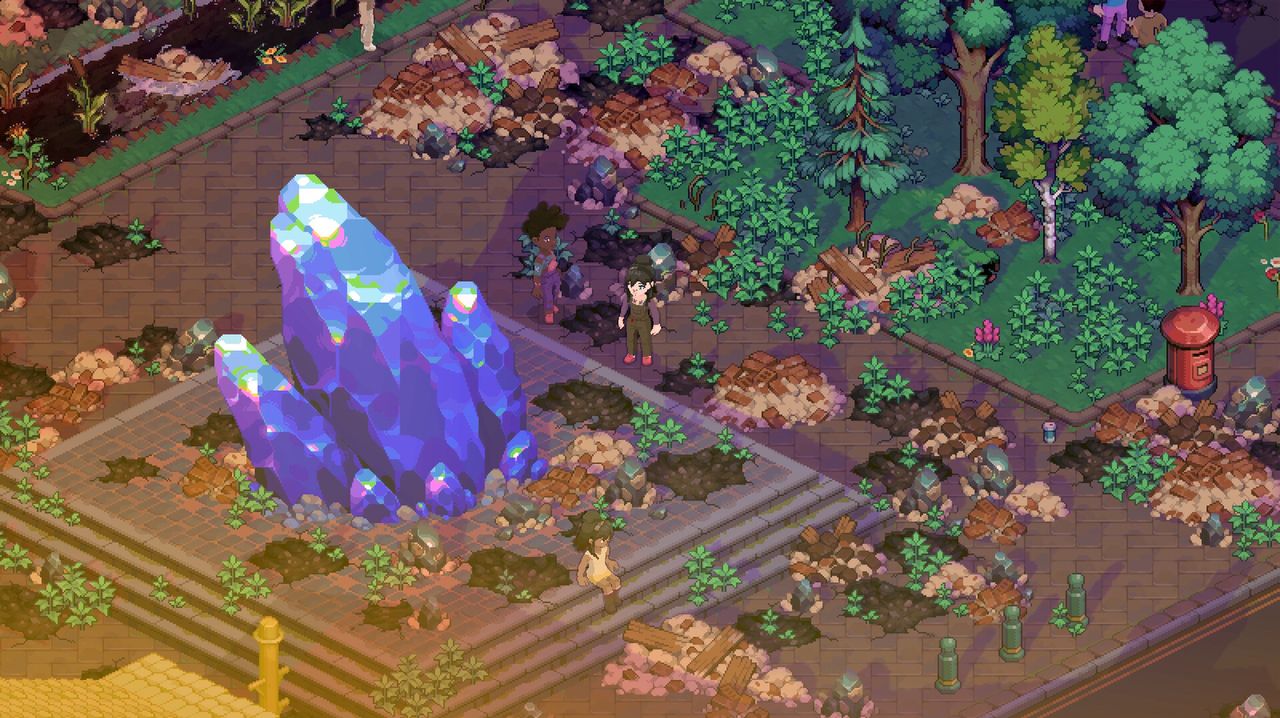
Cleaning up the village is a hands-on job in Early Access. Instead of collecting materials and handing them in at a quest marker — the way the demo did it — you now cut the weeds yourself, break the stones blocking the road, fill the potholes and blow the leaves off the pavement, one street at a time.
What changed from the demo
In the demo, reconstruction mostly meant gathering the required materials and submitting them to finish a quest. You watched the village improve; you did not do the clearing. The developers rebuilt the system for Early Access so the cleanup is played rather than reported: overgrown roads, weeds, piles of rubble, loose stones and scattered Moonfrost shards are now physical obstacles you deal with in person.
The tools you use
| Task | Tool |
|---|---|
| Cutting weeds and overgrowth | Scythe |
| Breaking stones blocking the road | Pickaxe |
| Repairing damaged road sections and potholes | Repair work at the damaged patch |
| Clearing leaves | Leaf Blower — a new tool added for this system |
| Clearing Moonfrost shards and rubble | Tools and hands-on cleanup |
Pickaxes and axes were rebalanced for damage and stamina during the demo's hotfix run, so if you played the demo a while ago, expect the swing economy to feel different.
How the loop works
- Walk the village and look for anything that has grown over or is blocking a path.
- Cut, break or blow it clear with the matching tool.
- Repair the damaged stretches of road as you find them.
- Clear the Moonfrost shards and rubble that the storms left behind.
Each action is small on its own, and that is the point — the developers described the goal as making the village feel brighter, safer and more welcoming again, little by little, rather than in one jump when a quest completes.
Why it feeds everything else
Reconstruction is how the village gains its shape: streets reconnect, buildings come back into use, and villagers who were cut off by rubble become reachable again. It also gives the early game a reliable job when the story is between beats. If you are not sure what to do next, walk the roads looking for overgrowth — there is almost always a patch you can clear.
Where these details came from
The tools, the road repair and the change from the demo's material hand-in system all come from the developers' Village Reconstruction dev diary. The tool rebalance comes from the demo's 1.0.3 hotfix notes.